Premium — £2.99/month

Everything included with Premium

A Luminaria Premium subscription unlocks five features that take your highlights further — export to PDF, export to Notion, automatic sync to Obsidian, the Obsidian plugin, and automatic WiFi sync from your KOReader device. Cancel anytime.

📄
Premium feature
Export to PDF

Download all your highlights as a beautifully formatted PDF — one section per book, with chapter headings and highlights sorted by date. Perfect for printing, archiving, or sharing.

  • One section per book, sorted alphabetically
  • Highlights sorted by date within each book
  • Chapter headings where available
  • Choose which books to include before exporting
  • Works with highlights from any source — Kobo, KOReader, Kindle or Readwise
  • Generated entirely in your browser — nothing uploaded
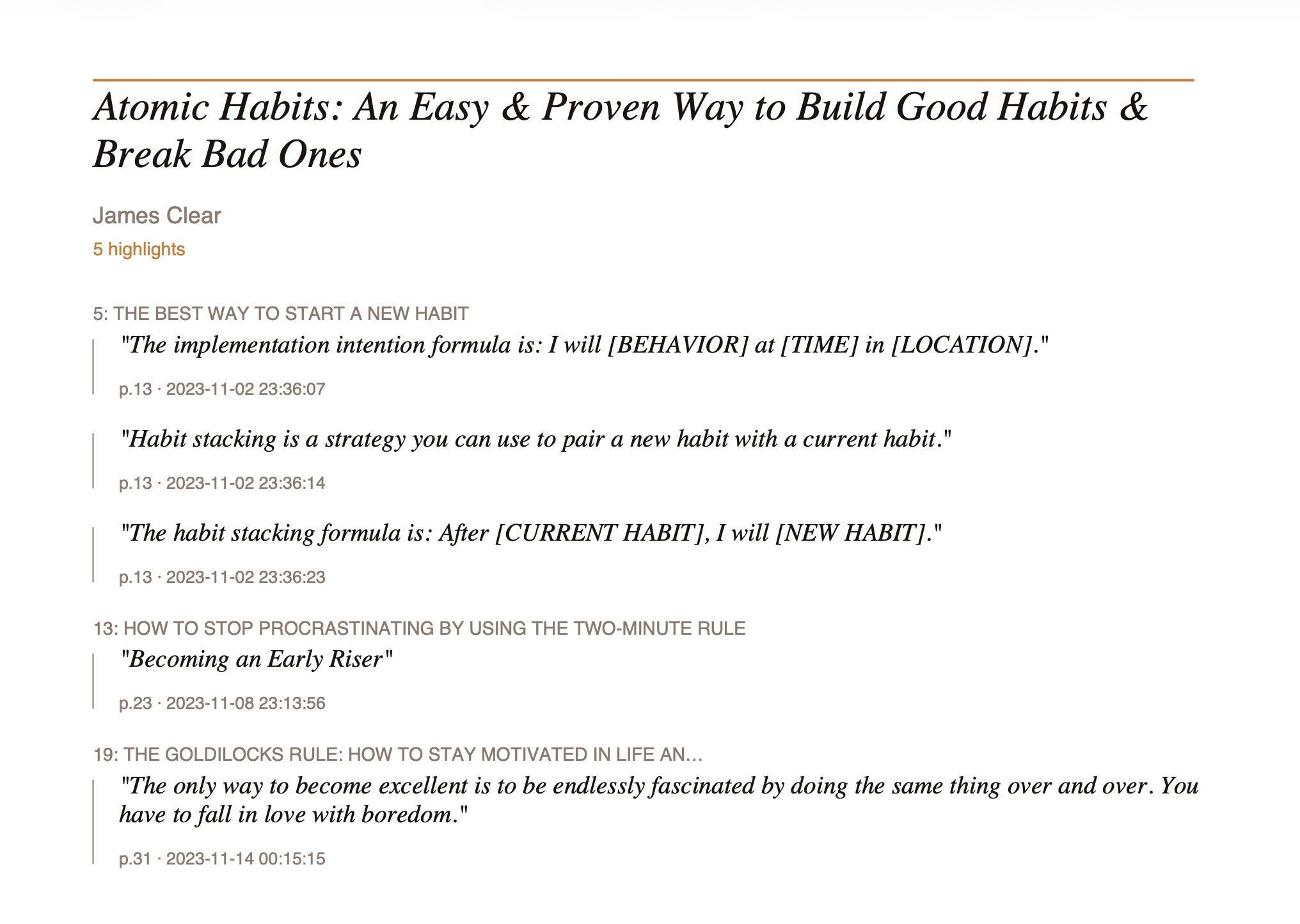
PDF export showing Atomic Habits highlights formatted with chapter headings
Premium feature
Export to Notion

Send your highlights directly into your Notion workspace — one page per book, with chapter headings as section dividers. Connect once and export with a click.

  • One Notion page per book, nested under a parent export page
  • Chapter headings as Notion heading blocks
  • Highlights sorted by date
  • Page and date metadata under each highlight
  • Choose which books to include before exporting
  • Works with highlights from any source
  • Connect via OAuth — no copy-pasting API keys
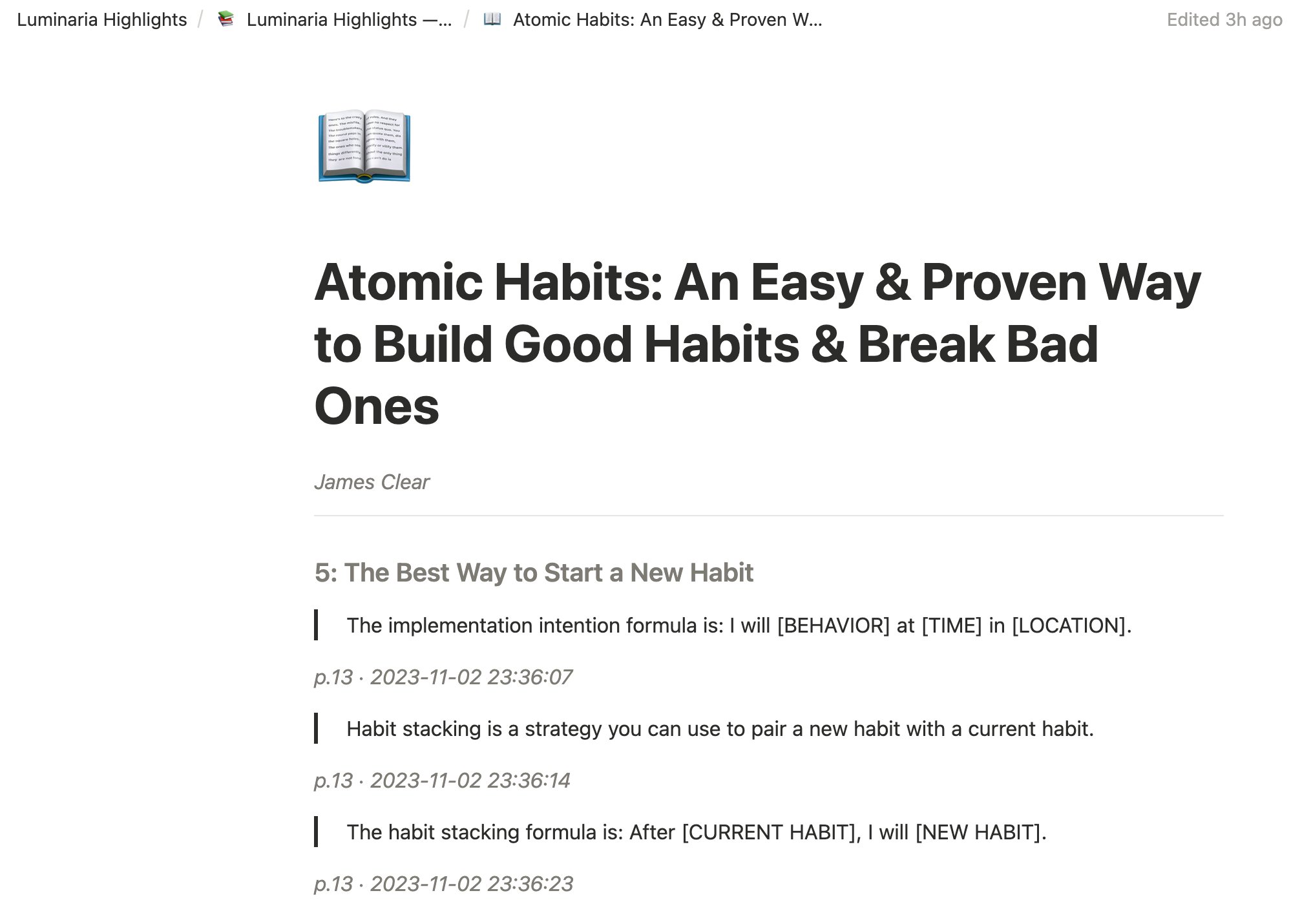
Notion page showing Atomic Habits highlights with chapter headings
Premium feature · KOReader only
Automatic WiFi sync from KOReader

With the Luminaria KOReader plugin installed, your highlights sync automatically every time your device connects to WiFi — no tapping required. Open Luminaria in your browser and your latest highlights are already there.

  • Syncs automatically when your device wakes and WiFi is available
  • No manual steps — just read, and your highlights appear
  • Manual sync still available as a backup
  • Requires the free Luminaria KOReader plugin
  • Works on Kobo, Kindle (jailbroken), and other KOReader-compatible devices
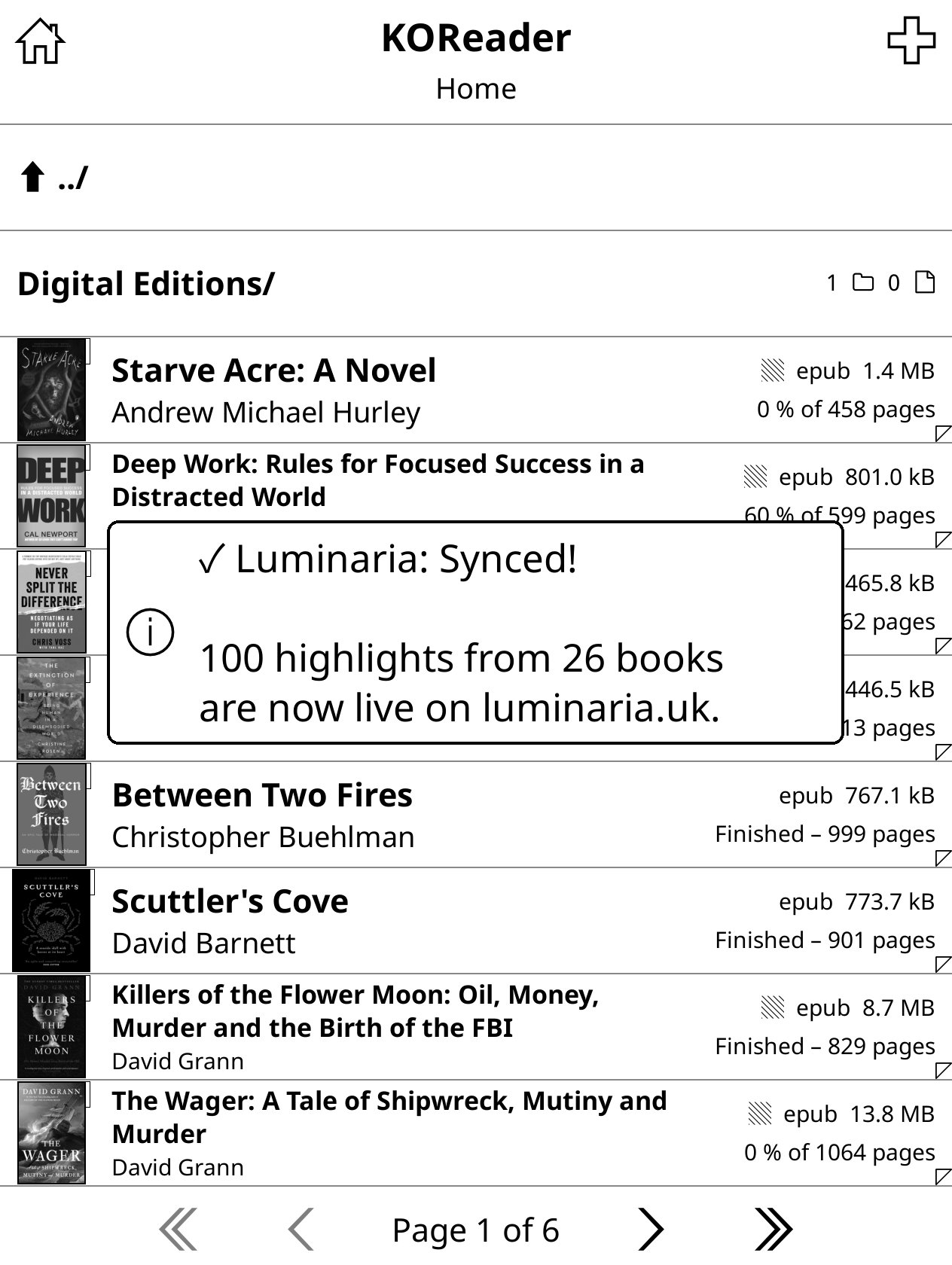
KOReader showing Luminaria sync confirmation — 100 highlights from 26 books synced
🔮
Premium feature
Automatic sync to Obsidian

The Luminaria Obsidian plugin syncs your highlights directly into your vault — one markdown file per book, with YAML frontmatter, chapter headings, and highlights sorted by date. Sync manually with a ribbon button or automatically every time you open Obsidian.

  • One .md file per book in a folder of your choice
  • YAML frontmatter with title, author, tags and sync date
  • Chapter headings as H2 sections
  • Highlights sorted by date with page and date metadata
  • Sync on startup option — vault always up to date
  • Updates existing files on re-sync — no duplicates
  • Works on desktop and mobile Obsidian
View plugin on GitHub →
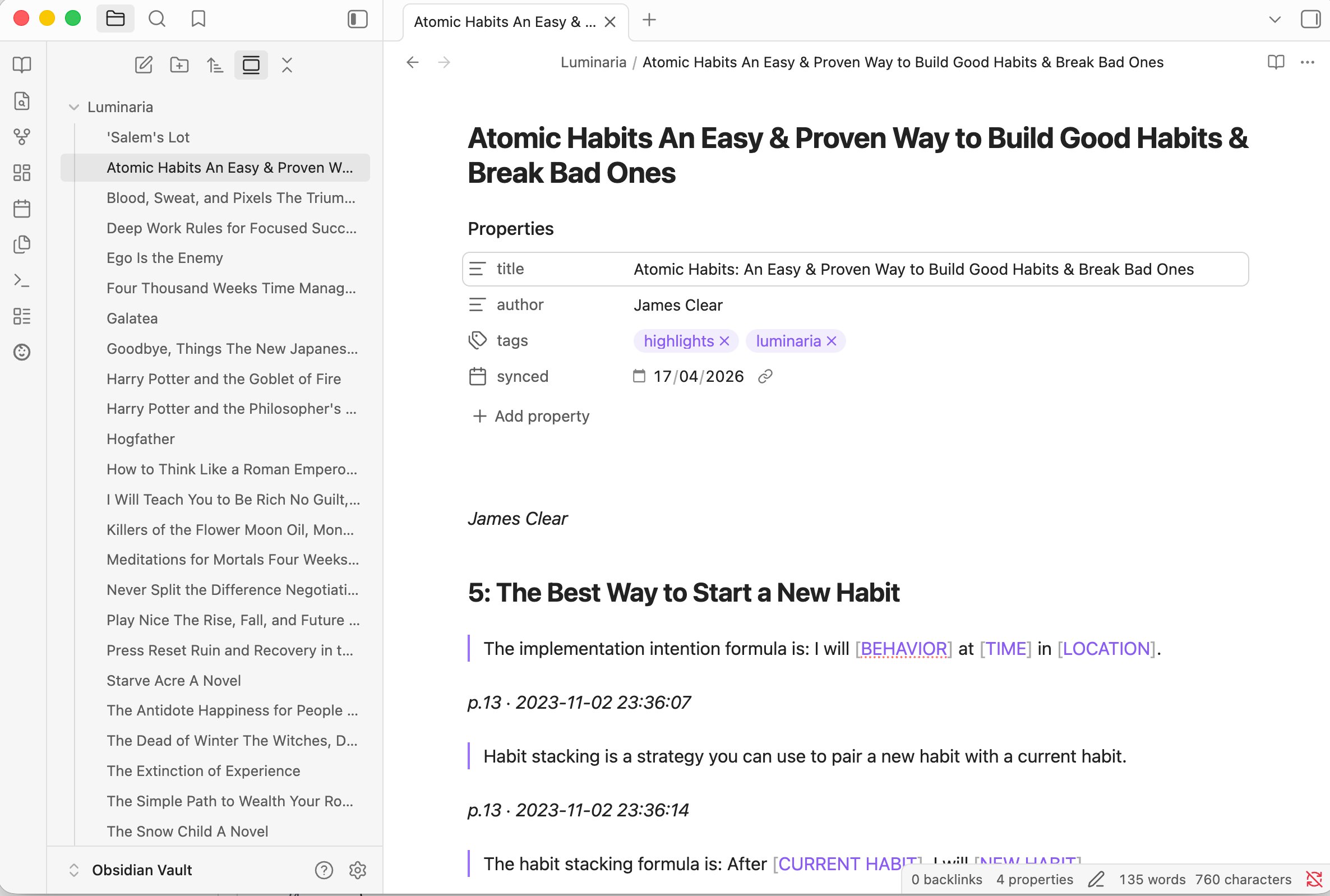
Obsidian vault showing Luminaria highlights synced — Atomic Habits with chapter headings and YAML frontmatter

Ready to upgrade?

£2.99/month. Cancel anytime. You'll need a free token first if you don't have one.

Upgrade for £2.99/month → Get a free token first ↗